
In software development, the significance of code formatting is often undervalued amidst priorities like functionality and deadlines. However, akin to how UI/UX designers meticulously orchestrate interfaces for optimal user experiences, developers need to recognise the pivotal role of code formatting in crafting a sustainable, efficient, and collaborative coding environment.
This article delves into the importance of consistent code formatting in software development, drawing parallels with UI/UX design principles, and examines how it affects the cognitive workload of developers.
The Importance of Readability and Cognitive Workload in Code
Readability in code transcends mere comprehension of what the code does. It’s about creating a codebase that is accessible, maintainable, and scalable.
A significant part of the cognitive workload in coding stems from deciphering the structure and flow of the code. When code is poorly formatted or inconsistently indented, it increases the cognitive load, demanding more mental effort to understand and maintain it.
Studies in software engineering suggest that developers spend considerable time reading and understanding code, which becomes more laborious and time-consuming with poor formatting. Much like a well-organized user interface, a well-organised code reduces cognitive strain and enhances the ability to navigate and understand the code efficiently.
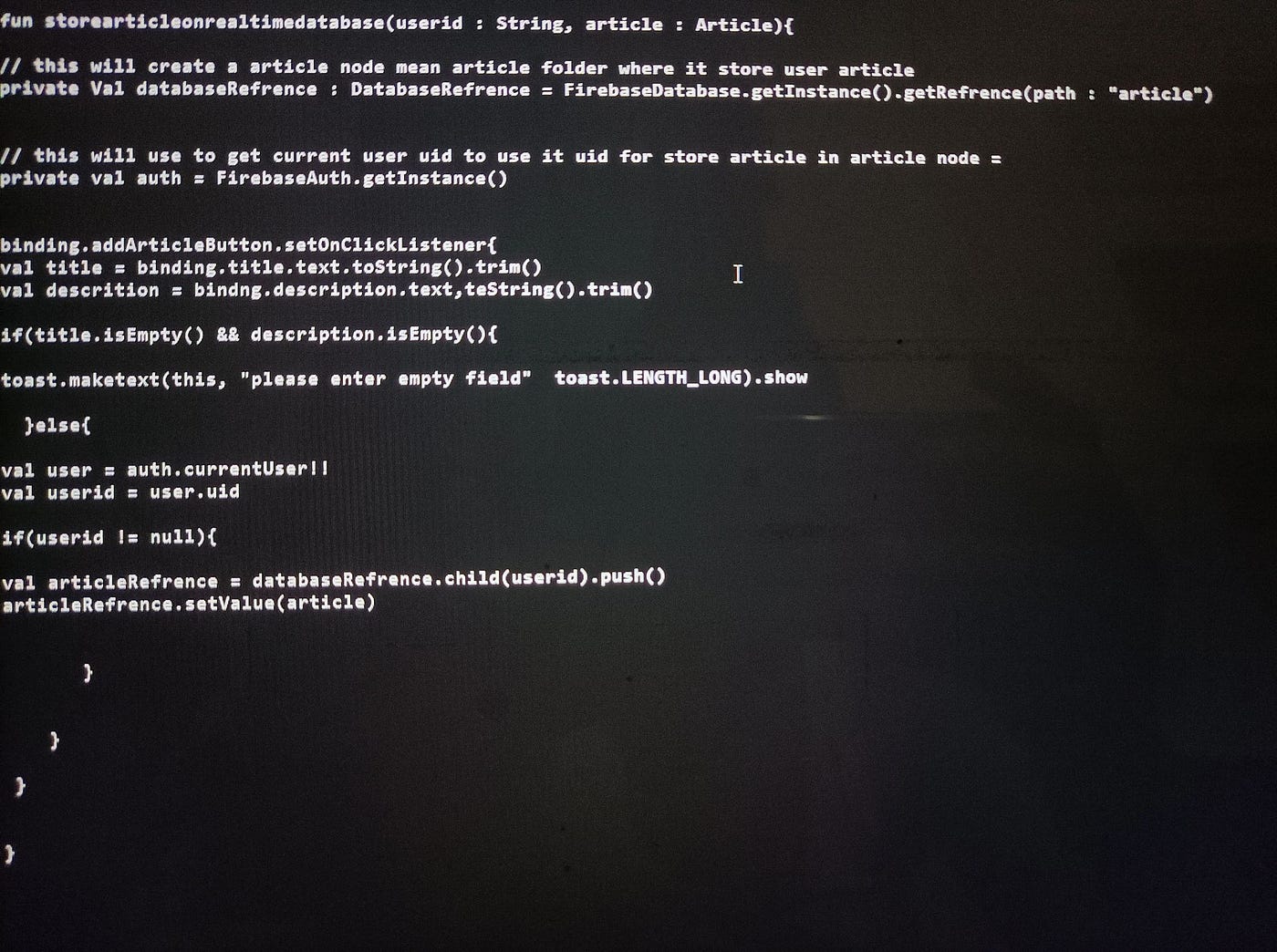
While the example above pulls some issues I have encountered at work, it can still be extreme. The following code snippet was a real one taken from an online community. I do not want to shame anyone in public; therefore, just as an example, I am not going to acknowledge the original author:
Drawing Parallels with UI/UX Design Principles
Clarity, consistency, and efficiency are not just the tenets of good UI/UX design but are also crucial in code formatting. Clarity in code is about adopting a style that makes its purpose and function immediately apparent, reducing the cognitive workload required to understand it.
Consistent formatting ensures that the code adheres to a standardised style, akin to a well-designed user interface, which makes it more predictable and easier to follow for team members, further reducing cognitive strain.
The Role of Auto-Formatting Tools
Auto-formatting tools, such as KTLint, Prettier, ESLint, and others, are the architects of consistent code formatting. They play a pivotal role in reducing the cognitive workload by ensuring all team members adhere to a common standard. This is similar to grid systems and style guides in UI/UX design — they provide a framework that ensures consistency while allowing creativity and functionality to flourish.